

Kali Linux 2026.2 released with 9 new tools, NetHunter updates

Kali Linux 2026.2, the second release of the year, is now available for download, featuring 9 new tools and numerous Kali NetHunter improvements.
The Kali Linux distro is designed for cybersecurity professionals and ethical hackers and comes with tools for security audits, penetration testing, and network research.
Kali Linux is available as an installable operating system or as a live environment, and supports a wide range of hardware, including Raspberry Pi devices and Android phones via Kali NetHunter.

In the 2026.2 release, in addition to new tools and improvements to the NetHunter penetration testing platform for Android devices, the Kali Team has also added updated helper scripts, desktop environments updates, and VM boot tweaks.
New tools added to Kali Linux 2026.2
In this release, the Kali Team has updated numerous packages, added new libraries, and upgraded the Kali kernel to 6.19 (with the 7.0 kernel available in kali-experimental).
It has also added 9 new tools to the network repositories, including:
- arsenal-ng - Go-based command library equipped with 200+ cybersecurity cheat-sheets
- hydra-gtk - [Re-added] Very fast network logon cracker - GTK+ based GUI
- legba - Multiprotocol credentials bruteforcer / password sprayer and enumerator
- oletools - Analyze MS OLE2 files and MS Office documents
- penelope - Powerful shell handler
- shell-gpt - Command-line productivity tool powered by AI large language models
- tailscale - Secure connectivity platform
- tookie-osint - OSINT information gathering tool for finding social media accounts
- uro - Declutter URLs for crawling/pentesting
The Kali Team has also updated the services helper scripts, making it easier to manage services, check if they're running, track service status, list default credentials, and get info on how to access running services.
Starting with this release, Kali Linux pre-built VM images no longer include graphics firmware, and installer images can detect when installation occurs in a virtual machine to ensure graphics firmware is not installed.
"As a result, the initrd is down to 60 MB for VM users, and the boot time is cut by ~3x (tested for QEMU VM on a Linux host, your mileage may vary). That's a massive improvement in boot time," the Kali Team said.
For baremetal users: nothing changed, so you still get a 200 MB initrd with all graphics firmware pre-installed. If you'd like to optimize, it's on you to uninstall the firmware that you don't need."
The Kali desktop environments have also been updated, with the distro now shipping with GNOME 50 and KDE Plasma 6.6.
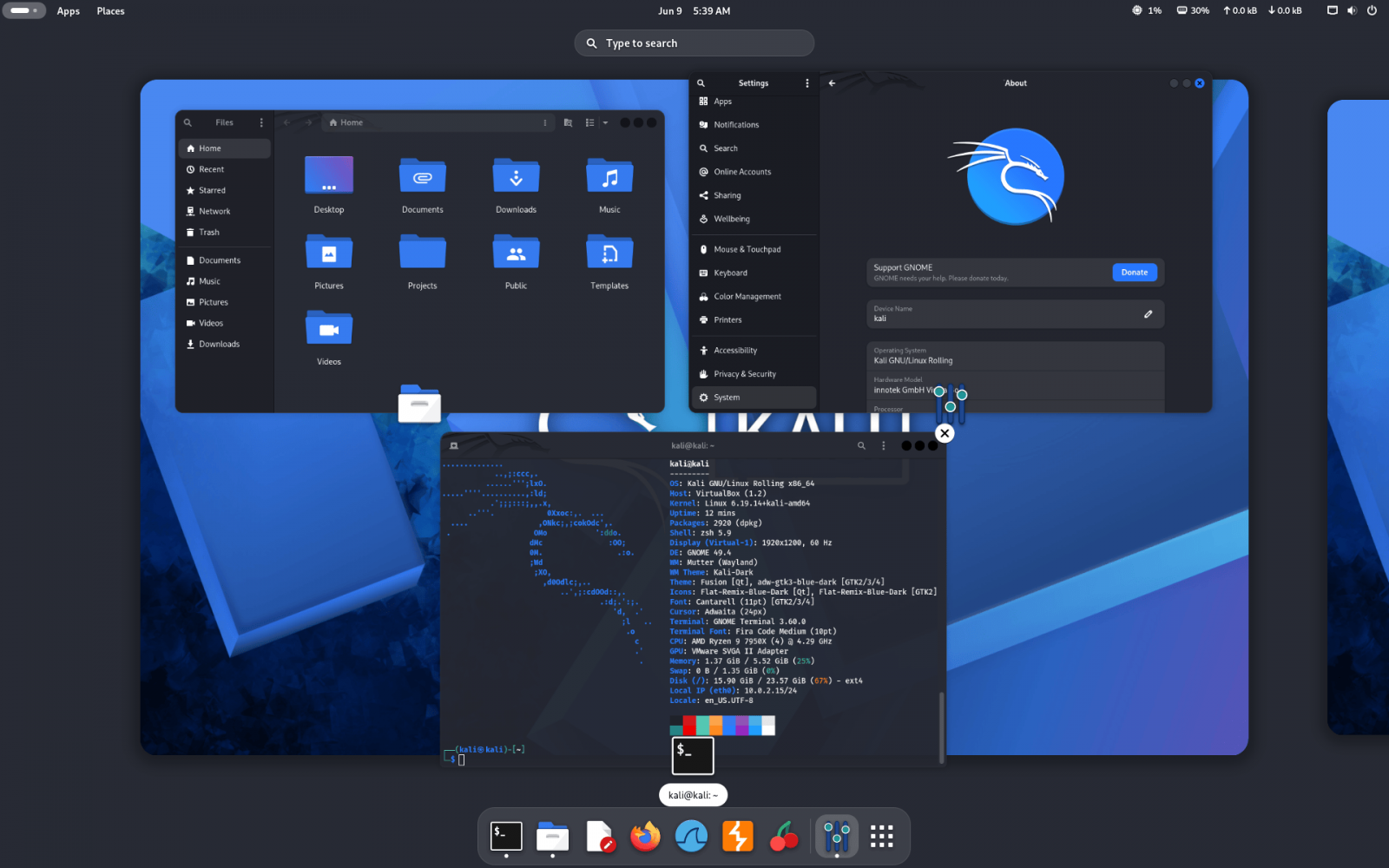 Gnome 50 on Kali Linux (Kali Team)
Kali NetHunter Updates
Besides the new tools, Kali Linux 2026.2 also introduces a long list of NetHunter updates, including but not limited to:
- Magisk standalone kernel flashing support,
- new kernels with qcacld3 injection support,
- kernels for more versions and phones,
- and bare metal support on more phones via NetHunter Pro.
"The Kali NetHunter app launches instantly now, various bugs have been fixed with the custom commands and chroot manager. A new EvilTwin (Wi-Fi Fake AP) tab has been added with password verification captive portal, which brought along a really needed iptables fix. So now after using Wifipumpkin3 or EvilTwin, Android Hotspot will work properly," the Kali Team added.
"The Magisk standalone kernel flashing support is now here - you can simply open any newly built kernel installer zip in the Magisk app that was built using the kali-nethunter-installer."
How to get Kali Linux 2026.2
To start using Kali Linux 2026.2, you can upgrade your existing installation, select a platform, or directly download ISO images for new installs and live distributions.
Kali users who want to update from a previous version can use the following commands to upgrade to the latest version.
echo "deb http://http.kali.org/kali kali-rolling main contrib non-free non-free-firmware" | sudo tee /etc/apt/sources.list sudo apt update && sudo apt -y full-upgrade cp -vrbi /etc/skel/. ~/ [ -f /var/run/reboot-required ] && sudo reboot -fIf you're using Kali on Windows Subsystem for Linux, you should consider upgrading to WSL 2 for better support of graphical apps. To check your WSL version, run wsl -l -v in a Windows command prompt.
After upgrading, you can check whether the process was successful using the following command: grep VERSION /etc/os-release.
You can view the complete changelog for the Kali Linux 2026.2 release on Kali's website.

Test every layer before attackers do
Security teams log 54% of successful attacks and alert on just 14%. The rest move through your environment unseen.
The Picus whitepaper shows how breach and attack simulation tests your SIEM and EDR rules so threats stop slipping by detection.
What's Your Reaction?
 Like
0
Like
0
 Dislike
0
Dislike
0
 Love
0
Love
0
 Funny
0
Funny
0
 Wow
0
Wow
0
 Sad
0
Sad
0
 Angry
0
Angry
0







Comments (0)